Vice City / Mods / Modificaciones
GTA V HUD for VC v4.0
- CharlesVercetti | subido por CharlesVercetti
- gtaforums.com/topic/670360-...
- 09/15/2020
- 106287 Descargas
Calificaciones:
Por favor, inicia sesión primero.
Favoritos:
Descargar
20.76Mb
20.76Mb
Videos


Necesitas haber iniciado sesión para añadir vídeos a este mod.
Descripción
Features:
• Rectangular radar similar to GTA V.
• Radar repositioned to bottom.
• Car/Location texts moved to bottom and are straighter and smaller.
• Time with phone.
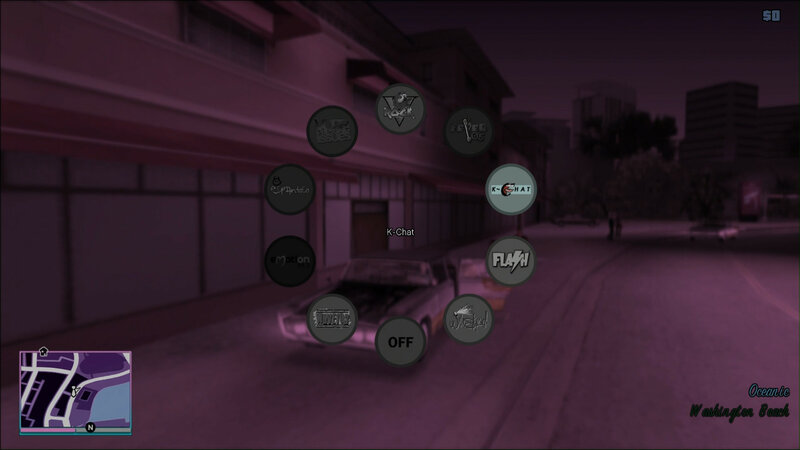
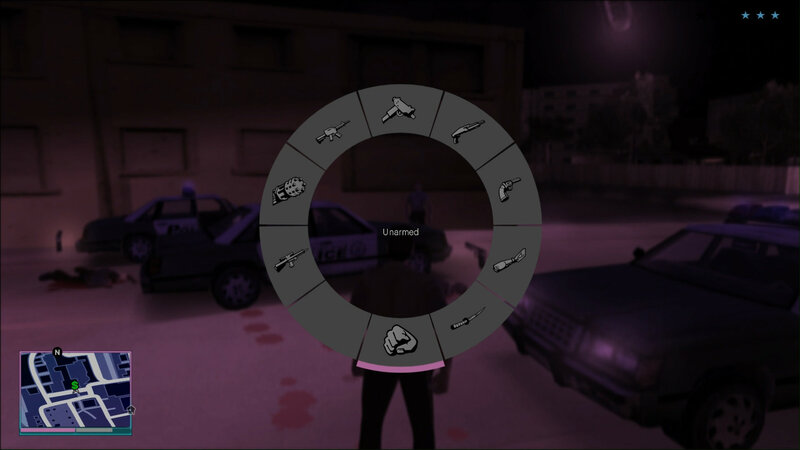
• Weapon and Radio wheel.
• Dynamic money counter.
• Smaller text-box.
• Mission timers similar to GTA V.
• Fonts and Radar icons similar to GTA V.
What’s New! (v4.0):
Menu:
• Revamped Menu layouts, completely customizable positioning for each screen.
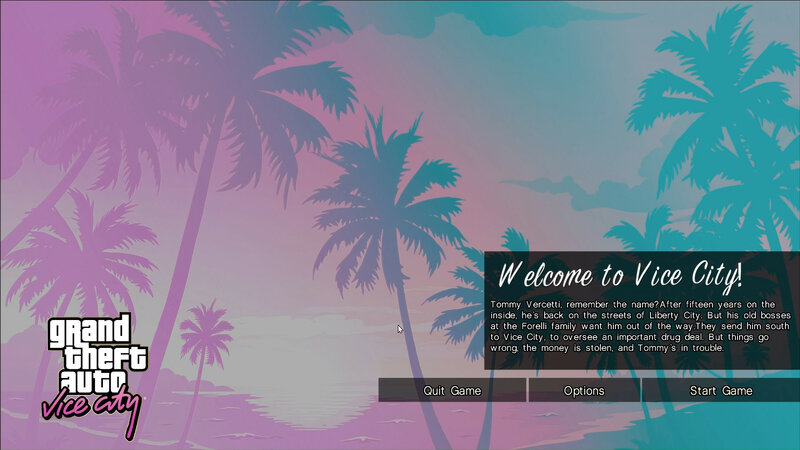
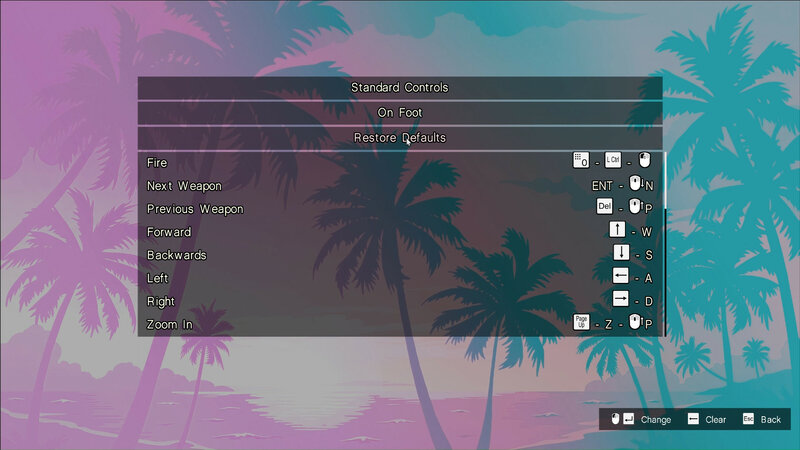
• New Keyboard setup and Player Skin setup screens.
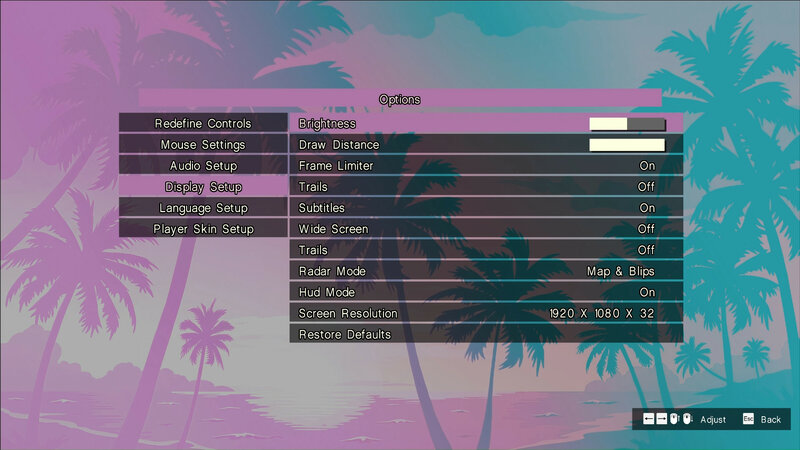
• Reordered Options.
• (Experimental) Tabbed menu layout – turned off by default.
• Transparent Blur effects on Menu background and Weapon wheel toggle – turned off by default.
• Blur effect, colour and saturation are customizable.
• New frontend textures – Game cover, Menu background (original) and mouse icons.
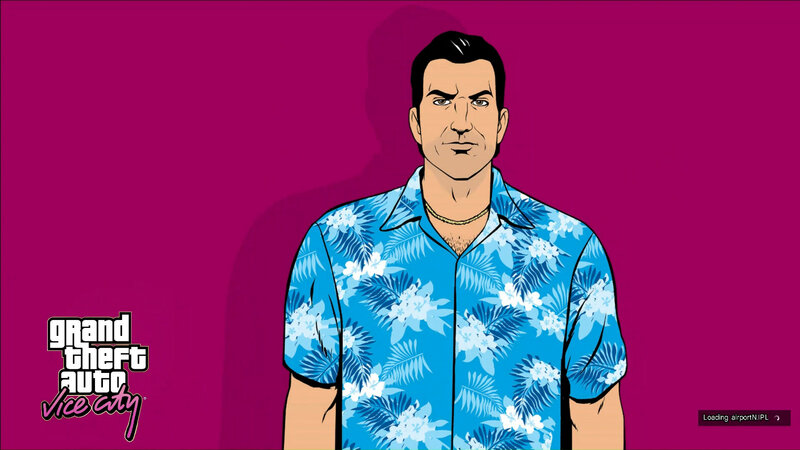
• New loading screens – sourced from https://libertycity.net/files/gta-vice-city/110095-vice-city-full-hd-loadscreens.html
• All menu, HUD, Font textures relocated to /rect_hud_charlesvercetti folder. Mod works purely as plug and play now.
• New GXT_new.csv which houses all GXT strings in /rect_hud_charlesvercetti folder.
• New Control bar at bottom right – replaces helper text and improved navigation.
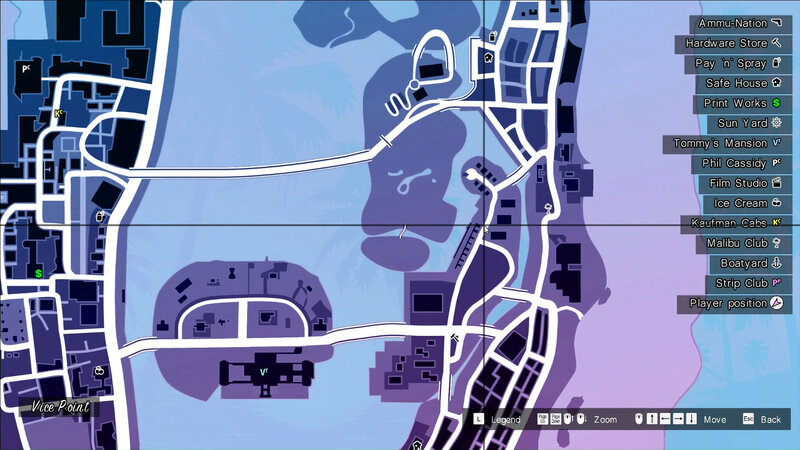
• New Pause Map screen with HQ map textures and transparent background – customizable.
• Skip Intro toggle – enabled by default.
• Skip Loading screen toggle – disabled by default.
• Game Auto loader toggle – enabled by default. If no saves, start a new game.
• Trails toggle – enables in-built trails (hazy blur effect). Disabled when skyGfx installed. Another fantastic mod. https://github.com/aap/skygfx_vc
HUD:
• Improved Message box with stacking (In-game messages, Garage and Loading messages under one common layout).
• Simple GPS navigation with waypoint. (Thanks to 13AG for GPS codebase.)
• Round Entity/destination markers.
• Money difference indicator.
• Adjusted layout of some HUD items.
• Rewritten Weapon/Radio wheel logic – reduce texture overhead.
• Blur behind weapon/radio wheels and slow-motion activation.
• Improved crosshairs with hit-indicator.
• Simple Reticule option added in configs.
• Auto ClassicAxis identification.
• Config files are now auto-generated by the plugin if not found.
ToDo:
• Tab-Clicking to Tabbed Menu – sounds like a lame joke but it’s what it is.
• Looking into feasibility of whatever idea comes to mind or via suggestions.
Styles:
Right now, menu is styled in a common way – with heavy pink and blue aesthetic; users can customize to their liking. Rest remain the same as previous versions.
• Rectangular radar similar to GTA V.
• Radar repositioned to bottom.
• Car/Location texts moved to bottom and are straighter and smaller.
• Time with phone.
• Weapon and Radio wheel.
• Dynamic money counter.
• Smaller text-box.
• Mission timers similar to GTA V.
• Fonts and Radar icons similar to GTA V.
What’s New! (v4.0):
Menu:
• Revamped Menu layouts, completely customizable positioning for each screen.
• New Keyboard setup and Player Skin setup screens.
• Reordered Options.
• (Experimental) Tabbed menu layout – turned off by default.
• Transparent Blur effects on Menu background and Weapon wheel toggle – turned off by default.
• Blur effect, colour and saturation are customizable.
• New frontend textures – Game cover, Menu background (original) and mouse icons.
• New loading screens – sourced from https://libertycity.net/files/gta-vice-city/110095-vice-city-full-hd-loadscreens.html
• All menu, HUD, Font textures relocated to /rect_hud_charlesvercetti folder. Mod works purely as plug and play now.
• New GXT_new.csv which houses all GXT strings in /rect_hud_charlesvercetti folder.
• New Control bar at bottom right – replaces helper text and improved navigation.
• New Pause Map screen with HQ map textures and transparent background – customizable.
• Skip Intro toggle – enabled by default.
• Skip Loading screen toggle – disabled by default.
• Game Auto loader toggle – enabled by default. If no saves, start a new game.
• Trails toggle – enables in-built trails (hazy blur effect). Disabled when skyGfx installed. Another fantastic mod. https://github.com/aap/skygfx_vc
HUD:
• Improved Message box with stacking (In-game messages, Garage and Loading messages under one common layout).
• Simple GPS navigation with waypoint. (Thanks to 13AG for GPS codebase.)
• Round Entity/destination markers.
• Money difference indicator.
• Adjusted layout of some HUD items.
• Rewritten Weapon/Radio wheel logic – reduce texture overhead.
• Blur behind weapon/radio wheels and slow-motion activation.
• Improved crosshairs with hit-indicator.
• Simple Reticule option added in configs.
• Auto ClassicAxis identification.
• Config files are now auto-generated by the plugin if not found.
ToDo:
• Tab-Clicking to Tabbed Menu – sounds like a lame joke but it’s what it is.
• Looking into feasibility of whatever idea comes to mind or via suggestions.
Styles:
Right now, menu is styled in a common way – with heavy pink and blue aesthetic; users can customize to their liking. Rest remain the same as previous versions.
Comentarios
Ya se han publicado 4 comentarios.