San Andreas / Mods / Mods CLEO
Car Recorder
- Marses | subido por Marses
- 10/09/2026 (Última actualización: 11/14/2026)
- 540 Descargas
Calificaciones:
Por favor, inicia sesión primero.
Favoritos:
Vídeos
Aún no se han añadido vídeos.Necesitas haber iniciado sesión para añadir vídeos a este mod.
Descripción
=====================================================================
CAR RECORDER
Record and replay vehicle paths in GTA San Andreas
=====================================================================
WHAT IT DOES
---------------------
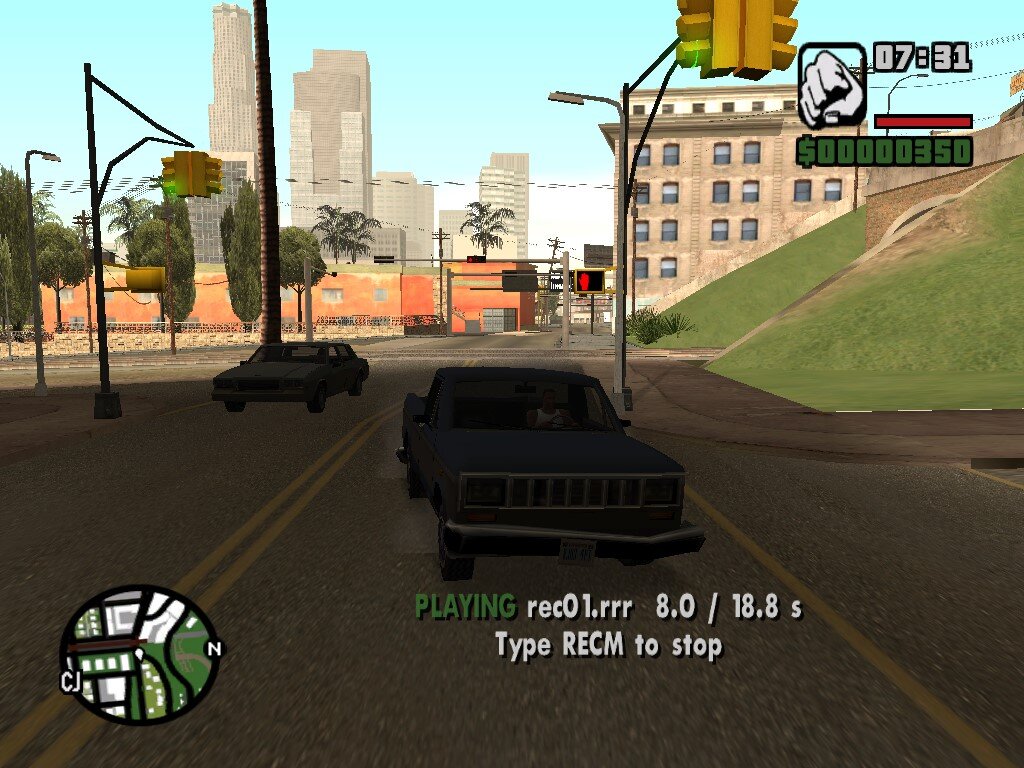
Car Recorder lets you record the path of any vehicle you drive
(cars, bikes, boats, planes, helicopters) and replay it later.
Recordings are saved in the same format the game uses for its own
vehicle paths (the "carrec" .rrr files inside carrec.img), the ones
Rockstar used in the story missions.
REQUIREMENTS
------------------------
- GTA San Andreas v1.0
- CLEO 5 (CLEO 4 is NOT enough: the mod will show a message and turn
itself off)
- Mod Loader
INSTALLATION
---------------------
Copy the whole "CarRecorder" folder into your "modloader" folder:
GTA San Andreas\modloader\CarRecorder\
readme.txt
Mod\CarRecorder.cs
Recordings\
Do NOT rename the "CarRecorder" folder: the mod looks for its
recordings in modloader\CarRecorder\Recordings\
HOW TO USE
-------------------
Type the cheats while playing, like any other cheat.
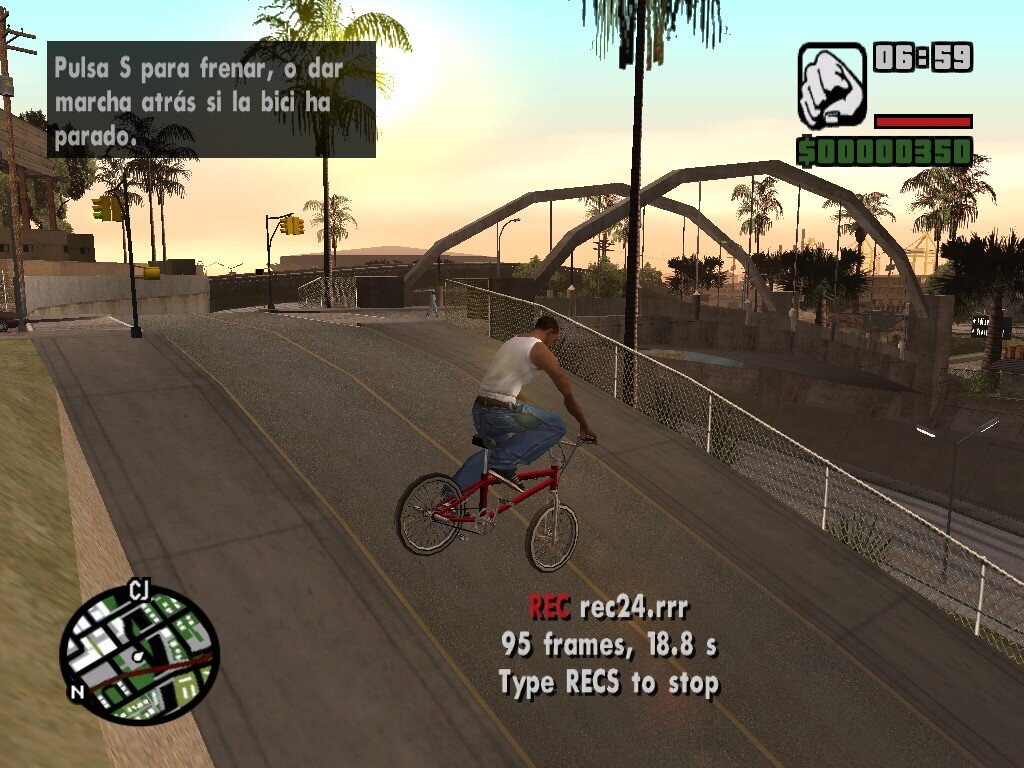
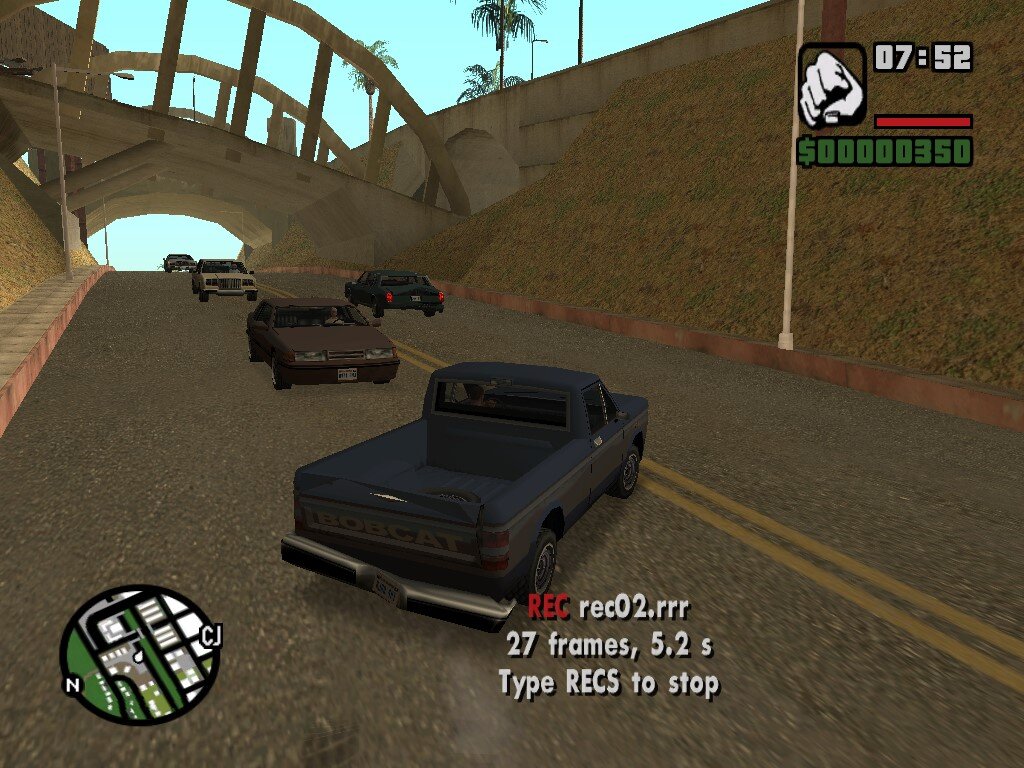
RECS Start recording the vehicle you are in.
Type RECS again to stop and save.
It also stops if you get out or the vehicle is wrecked.
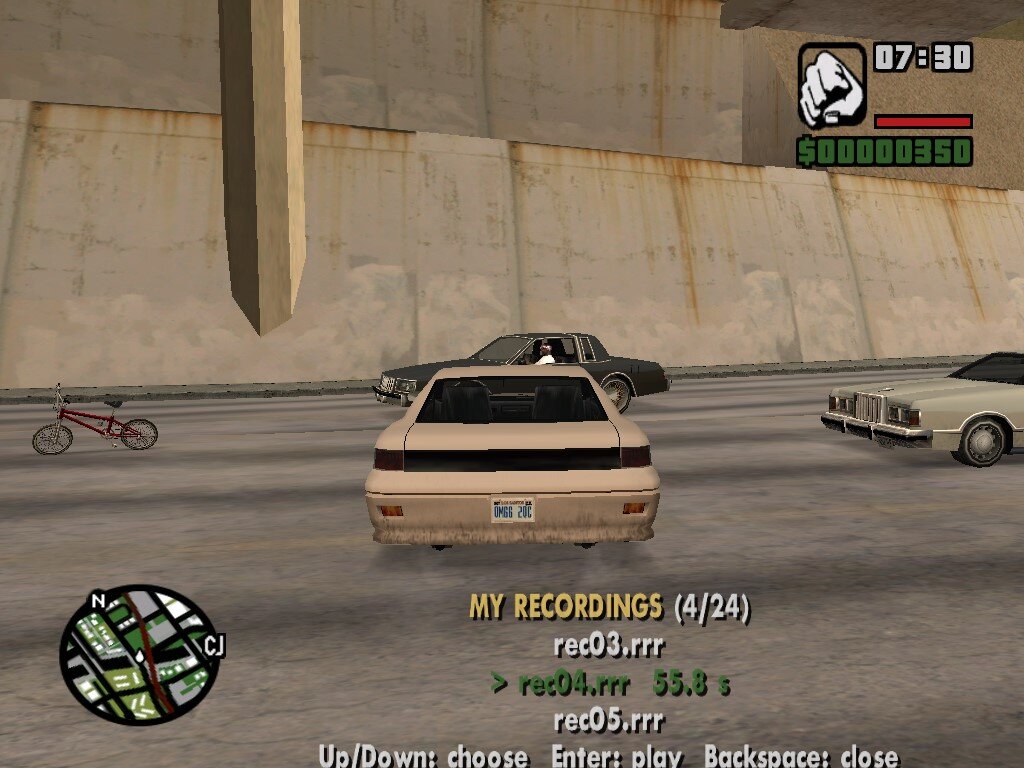
RECM Open the menu with your recordings.
Up / Down choose a recording
Enter play it
Backspace close the menu
Recordings are saved as rec01.rrr, rec02.rrr ... rec99.rrr
in the Recordings folder. A new recording never overwrites an old
one: it takes the first free number. To delete a recording, delete
its file.
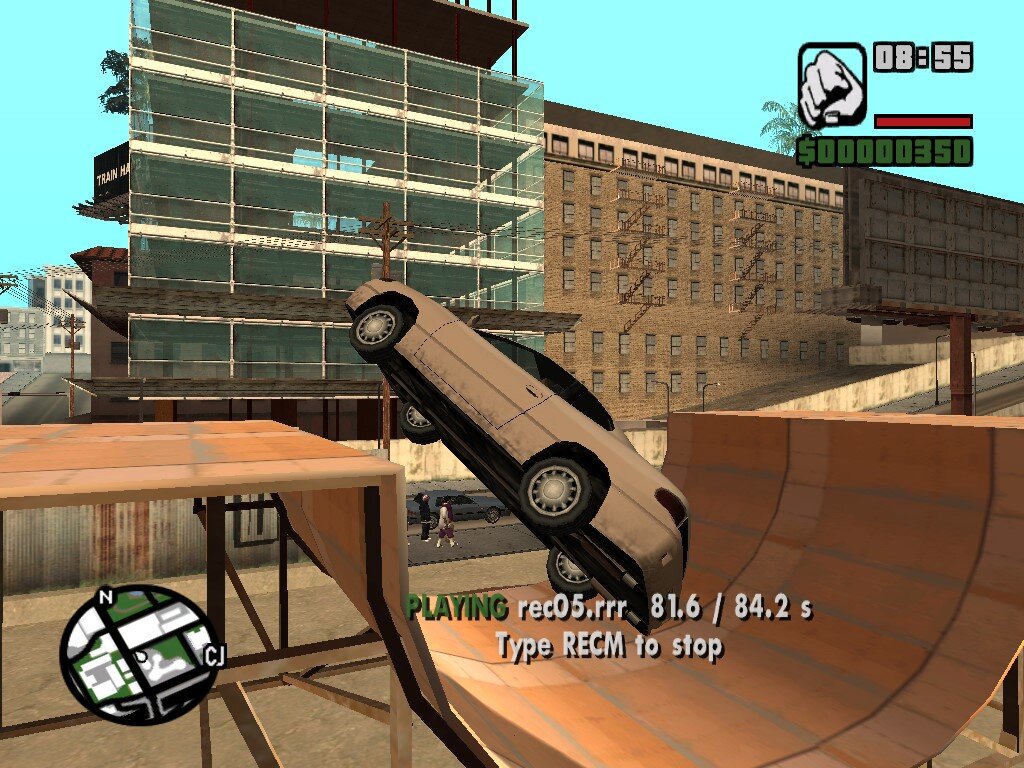
To play a recording you must be inside a vehicle: the vehicle is
moved to the start of the path and follows it on its own, with the
same steering and pedals you used (helicopters and planes only follow
the path, and their rotors and propellers keep turning). You are not
frozen: you can move the camera while it plays (your keys do not move
the vehicle until the playback ends). Type RECM during playback to
stop it.
While it plays, the vehicle pushes the other vehicles out of its way,
like the cars in Rockstar's missions. You can get out at any moment
with the usual key: the vehicle goes on with the recording without
you.
SA-MP
---------
- Works in SA-MP if that GTA folder has CLEO 5 and GTA SA v1.0 US.
- Only use it on servers that allow CLEO mods (or your own server).
Playback moves the car by itself, and some anti-cheats may think it
is a hack.
USING A RECORDING IN CARREC.IMG
-------------------------------------------------------
Recordings made with Car Recorder 1.1 have the same format as the
game's own vehicle paths in carrec.img. This was checked against all
426 recordings of the original game: same 32-byte frames, same data
in every field (position, speed, direction, steering, gas, brake and
handbrake) and the same ranges of values. Recordings made with older
versions have no steering or pedals, so record them again with 1.1.
This means you can add your recordings to carrec.img (in the
"data\Paths" folder of the game) and play them in missions made with
Sanny Builder. Tested: a recording added to carrec.img is played by the
game's own commands.
1. Make a backup copy of carrec.img.
2. Rename your recording from recXX.rrr to carrecNNN.rrr, where NNN
is a FREE number of 834 or lower, for example carrec451.rrr.
Numbers higher than 834 (like 900) crashed the game in our test.
The original recordings go from carrec001 to carrec834 with gaps;
never use a number that already exists: it would replace a
recording used by a story mission.
3. Add carrecNNN.rrr to carrec.img with an IMG editor.
4. In your mission script, load it and play it on a vehicle:
Streaming.RequestCarRecording(NNN)
(wait until Streaming.HasCarRecordingBeenLoaded(NNN))
Car.StartPlayback(car, NNN)
Notes:
- The game can only hold a limited number of recordings, so add only
the ones you need.
- The longest original recording lasts 208 seconds. Much longer ones
may not work inside carrec.img.
TECHNICAL NOTES
----------------------------
- The game has commands to record vehicle paths, but Rockstar left
them empty in the final game. This mod records by reading the
vehicle's position, speed, direction, steering and pedals 5 times
per second (every 200 ms; Rockstar's own recordings average about
224 ms).
- Playback is done by the mod itself (it does not need carrec.img):
it moves the vehicle smoothly between the recorded frames.
- Every frame is 32 bytes:
+00 time (ms)
+04 speed X, Y, Z
+0A "right" direction of the vehicle
+0D "forward" direction of the vehicle
+10 steering angle
+11 gas pedal (negative = reverse)
+12 brake pedal
+13 handbrake
+14 position X, Y, Z
KNOWN LIMITATIONS
-------------------------------
- The vehicle model is not saved (the carrec format does not store
it): a recording is played on whatever vehicle you are in.
- Up to 99 recordings.
VERSION HISTORY
---------------------------
1.2 - The vehicle no longer goes through other vehicles: it pushes
them, like the cars of Rockstar's own recordings.
- You can get out of the vehicle at any speed while it plays.
- Fixed: the game could crash when stopping a playback with RECM
after getting out of a boat.
1.1.3 - The game crashed when typing RECS or RECM with CLEO 4. Now the
mod checks the CLEO version when the game starts: with CLEO 4
or older it shows a message and turns itself off.
1.1.2 and 1.1.1 - Fixed: helicopter rotors and plane propellers stopped
during playback. Now it is fixed.
1.1 - Steering, gas, brake and handbrake are now recorded and played
back: vehicles no longer look like they are drifting, and
bikes lean to the right side.
Recordings made with older versions still play.
1.0.1 - Fixed: recordings could not be saved when the mod was
installed with Auto-install.
- Fixed: typing RECS to stop could start a second recording if
the mod was installed twice.
1.0 - First version.
CREDITS
-------------
Idea, design and testing: Marses (Marcos1986... in Liberty City)
Thanks to:
- Macerari (found the crash with CLEO 4, now the mod tells you
if you don't have CLEO 5)
=====================================================================
Comentarios
Ya se han publicado 0 comentarios.