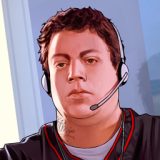
GTA V / Skins / Nuevo aspecto / modelo
GTA V - Niko Bellic Mod
- Vammonos TGA | subido por Vammonos TGA
- 05/16/2015
- 9179 Descargas
Calificaciones:
Por favor, inicia sesión primero.
Favoritos:

Videos


Necesitas haber iniciado sesión para añadir vídeos a este mod.
Descripción
New mod that allows you to play as Niko Bellic!
It replaces Trevor with Niko.
Installation guide:
PLEASE BACK UP YOUR FILES BEFORE INSTALLING
This mod will replace Trevor with Niko so that you can play with him in freemode, through the story, etc.
INSTALLATION:
1.Make sure you have OpenIV and have the plugin installed.
2. Go into GTA V in OpenIV and down to x64v.rpf and double click it, it should open up.
3. From here navigate to models/cdimages/streamedpeds_players.rpf/ and make sure Edit Mode is on.
4. Delete all the contents of the folder player_two than drag and drop everything inside the folder I included named x64v into streampeds_players.rpf
5. Click on rebuild at the top left inside the File Category.
6. Head back up and navigate to update/x64/dlcpacks/mppatchesng/dlc.rpf/x64/models/cdimages/mppatches.rpf/
7. Find you're way down to player_two and delete player_two.ymt and the player_two folder. *THIS IS WHERE YOU MIGHT WANT A BACKUP*
8. Click on rebuild at the top left inside the File Category
9. Head back up and navigate to update/x64/dlcpacks/patchday3ng/dlc.rpf/x64/models/cdimages/patchday3ng.rpf
10. Find you're way down to player_two and delete player_two.ymt and the player_two folder. *THIS IS WHERE YOU MIGHT WANT A BACKUP*
11. Click on rebuild at the top left inside the File Category
12. Thats All! Enjoy and Have Fun :)
It replaces Trevor with Niko.
Installation guide:
PLEASE BACK UP YOUR FILES BEFORE INSTALLING
This mod will replace Trevor with Niko so that you can play with him in freemode, through the story, etc.
INSTALLATION:
1.Make sure you have OpenIV and have the plugin installed.
2. Go into GTA V in OpenIV and down to x64v.rpf and double click it, it should open up.
3. From here navigate to models/cdimages/streamedpeds_players.rpf/ and make sure Edit Mode is on.
4. Delete all the contents of the folder player_two than drag and drop everything inside the folder I included named x64v into streampeds_players.rpf
5. Click on rebuild at the top left inside the File Category.
6. Head back up and navigate to update/x64/dlcpacks/mppatchesng/dlc.rpf/x64/models/cdimages/mppatches.rpf/
7. Find you're way down to player_two and delete player_two.ymt and the player_two folder. *THIS IS WHERE YOU MIGHT WANT A BACKUP*
8. Click on rebuild at the top left inside the File Category
9. Head back up and navigate to update/x64/dlcpacks/patchday3ng/dlc.rpf/x64/models/cdimages/patchday3ng.rpf
10. Find you're way down to player_two and delete player_two.ymt and the player_two folder. *THIS IS WHERE YOU MIGHT WANT A BACKUP*
11. Click on rebuild at the top left inside the File Category
12. Thats All! Enjoy and Have Fun :)
Comentarios
Ya se han publicado 9 comentarios.






05/17/2015 10:30
you should may ask for permission first or at least credit the guy
Citar | Responder
Quote: Vammonos TGAI Know i do not own it and i do not claim anywhere that i own it,i just uploaded it here for people to download :/Quote: runitsalpha
you stole this...
https://www.gta5-mods.com/player/niko-model-swap-not-a-script-legs
you should may ask for permission first or at least credit the guy
Citar | Responder