GTA V / Mods / Edificios
Little Film Poster Change Contribution for Richard Majestic Productions - Back to the Oldschool
- mikesta | subido por mikesta
- 11/08/2024
- 1436 Descargas
Calificaciones:
Por favor, inicia sesión primero.
Favoritos:
Descargar
11.43Mb
11.43Mb
Videos
Aún no se han añadido vídeos.Necesitas haber iniciado sesión para añadir vídeos a este mod.
Descripción
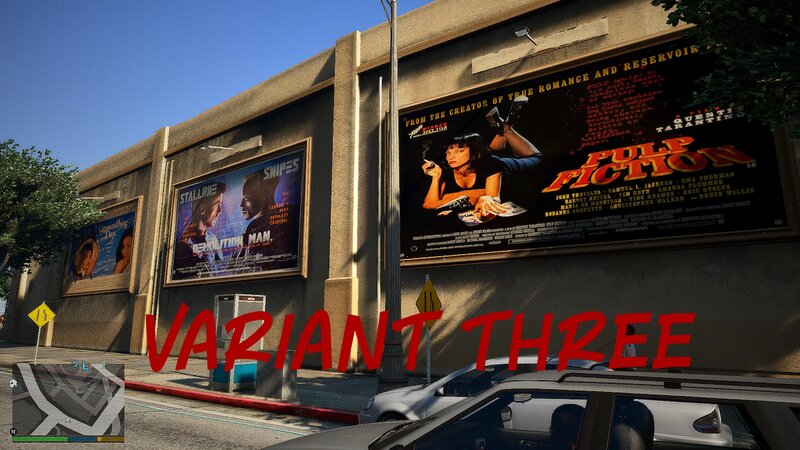
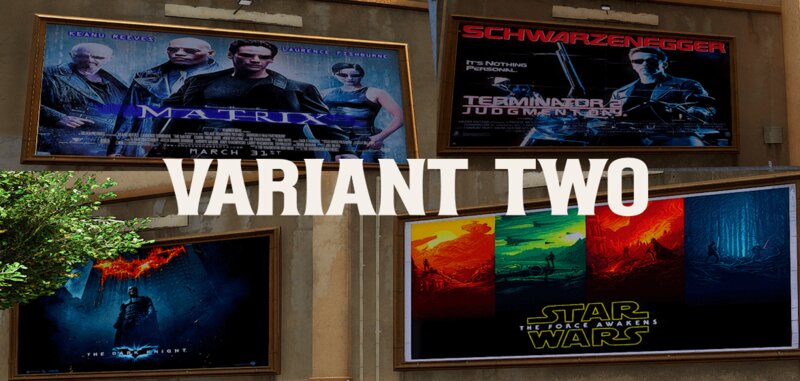
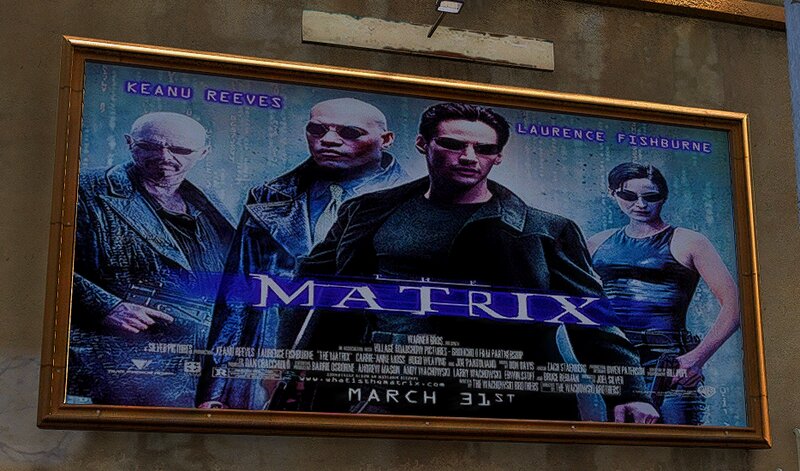
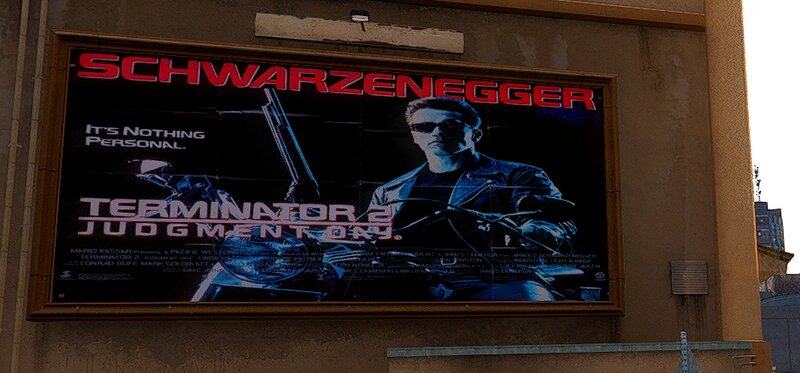
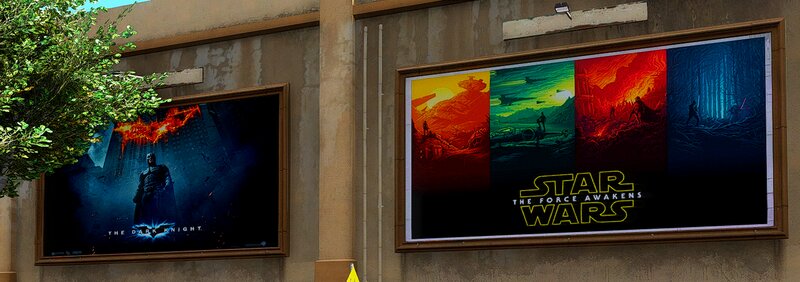
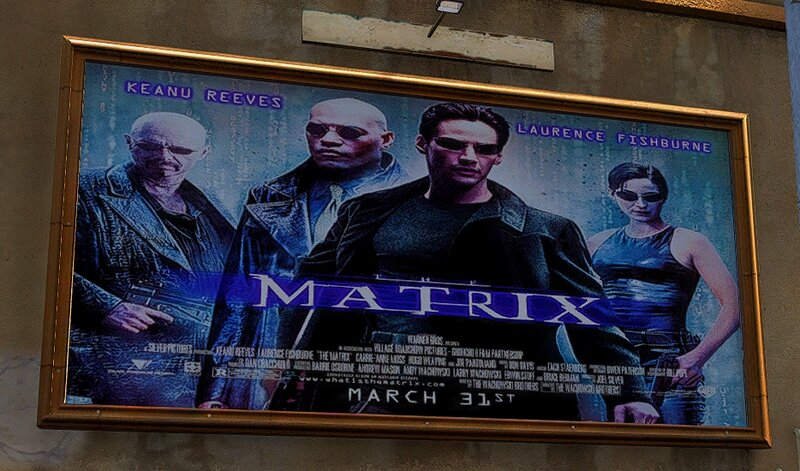
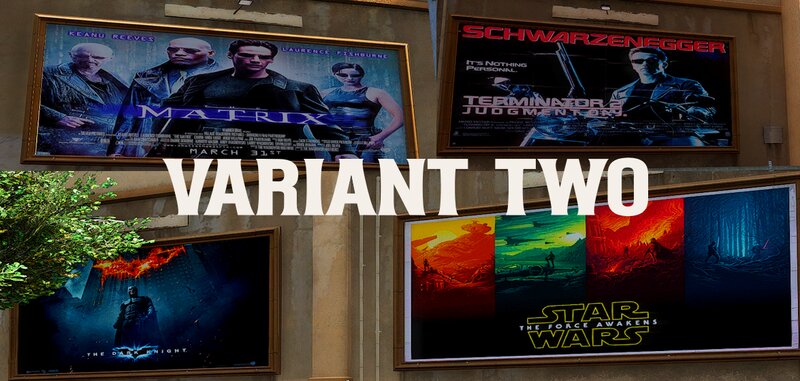
As the movies are getting more and more boring and the audience numbers are shrinking, holly- äh vinewood is forced to bring back old movies
to the big screen. So you could say that the oldschool days have arrived at Richards Majestic Productions.
Or in a nutshell I have a little film poster change contribution for you.
I actually wanted to insert current film posters first, but i don't really want to comment much on today's films ; o ).
HOW TO INSTALL:
1. open OpenIV and enable edit mode.
go to : mods > x64l.rpf > levels > gta5 > _cityw > berverly_01 > bh1_02.rpf
2. replace files of your choice.
3. for the superlod file
go to : mods\x64l.rpf\levels\gta5\_cityw\beverly_01\beverly.rpf\
open bh1_lod_02_03_05_children.ytd and replace the bh1_02_superlod file of your choice
4. In variant three you have to replace the bh1_02_ground.dds file in bh1_02_lod.ytd
This version comes with two different folders. one for the mod la revo_2 and one without la revo_2
If you use la revo_2 just put the files except the dds file in
GTAV\mods\update\x64\dlcpacks\LA_Revo_2_Demo\dlc.rpf\x64\levels\gta5\demo.rpf\ (if you use the demo)
open bh1_lod_02_03_05_children.ytd and replace the bh1_02_superlod file
If you dont use la revo_2 do it the same way like in variant one and three.
4. Enjoy.
It´s recommended to backup your files before doing any changes.
All the best, Michael : o )
to the big screen. So you could say that the oldschool days have arrived at Richards Majestic Productions.
Or in a nutshell I have a little film poster change contribution for you.
I actually wanted to insert current film posters first, but i don't really want to comment much on today's films ; o ).
HOW TO INSTALL:
1. open OpenIV and enable edit mode.
go to : mods > x64l.rpf > levels > gta5 > _cityw > berverly_01 > bh1_02.rpf
2. replace files of your choice.
3. for the superlod file
go to : mods\x64l.rpf\levels\gta5\_cityw\beverly_01\beverly.rpf\
open bh1_lod_02_03_05_children.ytd and replace the bh1_02_superlod file of your choice
4. In variant three you have to replace the bh1_02_ground.dds file in bh1_02_lod.ytd
This version comes with two different folders. one for the mod la revo_2 and one without la revo_2
If you use la revo_2 just put the files except the dds file in
GTAV\mods\update\x64\dlcpacks\LA_Revo_2_Demo\dlc.rpf\x64\levels\gta5\demo.rpf\ (if you use the demo)
open bh1_lod_02_03_05_children.ytd and replace the bh1_02_superlod file
If you dont use la revo_2 do it the same way like in variant one and three.
4. Enjoy.
It´s recommended to backup your files before doing any changes.
All the best, Michael : o )
Comentarios
Ya se han publicado 0 comentarios.